Let's Encrypt and automatic renewal made certificates almost free and almost effortless. “Almost” is doing a lot of work in that sentence. Renewal runs from a cron job, a load balancer, a hosting panel or a CDN, and every one of those can quietly stop working: a changed DNS record, a firewall rule that blocks the validation request, a server that got rebuilt without the renewal timer.
When that happens, nothing tells you. The old certificate keeps working right up to the second it expires, and then every visitor gets a full-page browser warning. That's why I don't trust auto-renewal on its own. Every hostname I own has an SSL monitor in UptimePilot, and here's how it's set up.
Why an expired certificate is worse than downtime
When a site is down, people try again later. When a certificate has expired, they see “Your connection is not private” in big red letters, and many of them decide your site has been hacked. API clients and mobile apps are even less forgiving: they refuse the connection outright, so your app just stops working.
And it's completely preventable, because the expiry date is printed right there in the certificate, weeks in advance.
What UptimePilot checks
An SSL monitor connects to your host the same way a browser does and reads the certificate. On every check it looks at:
- The expiry date, and how many days are left.
- The certificate chain, which must lead to a trusted root. A missing intermediate certificate breaks many clients even when desktop browsers seem fine.
- The hostname, which must match the certificate. This catches the classic mistake of serving the default certificate for the wrong domain.
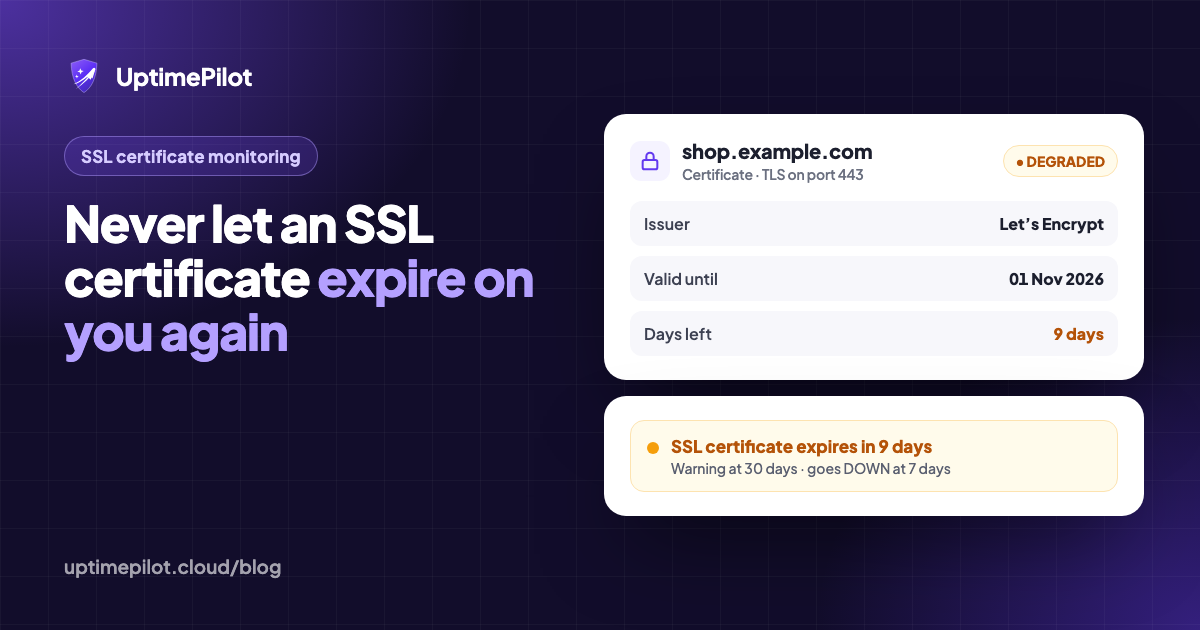
Each check also stores the expiry date and days left, so the monitor page always shows exactly when the next renewal is due.
Two thresholds: a nudge and an alarm
This is the part I like most. Instead of a single “it's expired” alert, there are two levels:
| Days left | Monitor status | What I do |
|---|---|---|
| More than 30 | UP | Nothing. Renewal will happen on its own. |
| 30 or fewer | DEGRADED, warning incident opens | Check that auto-renewal is still working. Let's Encrypt normally renews at 30 days, so this means it hasn't. |
| 7 or fewer, or chain/hostname invalid | DOWN, critical incident | Drop everything and renew. |
Both numbers are just defaults; you can set each one anywhere from 1 to 365 days. When the certificate is renewed, the incident resolves by itself on the next check and I get a recovery message. No ticket to close, no manual reset.
Setting it up
- Create a free account (7-day trial, no card).
- Click New monitor and choose SSL certificate.
- Type the hostname. A bare
example.comis fine; it becomeshttps://example.comautomatically. For a non-standard port, include it:https://example.com:8443. - Keep the warning at 30 days and critical at 7, or adjust them.
- Choose where alerts go (email and Slack on every plan) and save.
Certificates don't change by the minute, so the check interval doesn't matter much here. The default is fine.
Which hostnames to monitor
Every name that serves HTTPS gets its own certificate check, because they're often renewed by different systems:
example.comandwww.example.comapp.,api.andstatus.subdomains- Anything behind a different load balancer or CDN
- Mail or admin servers on ports like 8443 or 993
Pair each of them with a website monitor for the page itself, and a domain expiry monitor for the registration, and you've covered the three things that most often take a perfectly healthy server offline.
Worth a minute of your time
SSL monitors are included on every UptimePilot plan, including the free trial, so there's no reason not to have one. Set it up once, and the next time a renewal quietly fails, you'll hear about it a month early instead of from a customer's screenshot.
Frequently asked questions
When does UptimePilot warn me about an expiring certificate?
By default you get a warning 30 days before expiry, when the monitor turns DEGRADED, and it goes DOWN at 7 days. Both thresholds can be set anywhere from 1 to 365 days.
Does it check more than the expiry date?
Yes. It connects over TLS (1.2 or newer), verifies the full certificate chain and that the certificate matches the hostname. A broken chain or a wrong certificate fails the check too.
Can I monitor a certificate on a port other than 443?
Yes. Put the port in the URL, for example https://mail.example.com:8443, and UptimePilot checks the certificate served there.
Is SSL monitoring included in the free trial?
Yes. SSL monitors are on every plan, including the 7-day free trial. Start one here.